Dev Essentials - A Chrome Extension to keep you updated with the latest happenings✨️
Stay Updated, Stay Informed...

Hello Everyone 👋
Hardik Kaushik here, back in the moonlight. I hope you all are doing good and your health is in pink. I'm a tech enthusiast and passionate developer from India 🇮🇳.
Finally, after a long wait, here I'm presenting DEV ESSENTIALS🥳, a Chrome Extension built for Developers and Tech Enthusiasts, to keep them updated with the latest happenings, upcoming contests and, new tech innovations.
Inspiration and Idea 💡
Daily Dev, a new tab extension that gives blogs from different platforms. So if you have ever used Daily Dev then you might be aware of the fact that it looks more of a web application than a normal chrome extension. Also, there is too much content and that makes it dope and complex... 🌊
Also, I usually read very few blogs and I also miss the coding contest and apart from Notion I don't have any task management tool. 🏄♂️

Soo, yes this made me think to make one Chrome Extension that could help me as well as the whole community. 🥁
Introducing Dev Essentials 🚀
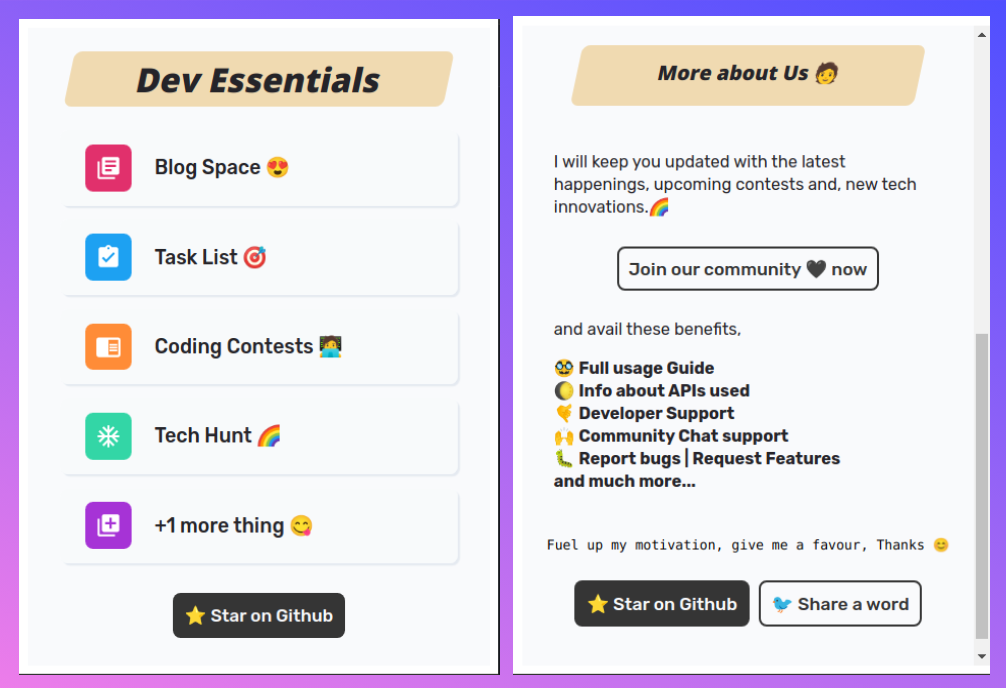
Dev Essentials is a Chrome Extension built for Developers and Tech Enthusiasts, to keep them updated with the latest happenings, upcoming contests and, new tech innovations.
🚀 Github:
🤩 Extension:
Features 🧐
I am more than excited to tell you all the features of Dev Essentials, Here're some of its best features.
Stay Updated, Stay Informed...
- ⭐️ Light Weight (215KiB)
- 💻 Popup type extension
- 🚀 Cool and Modern UI
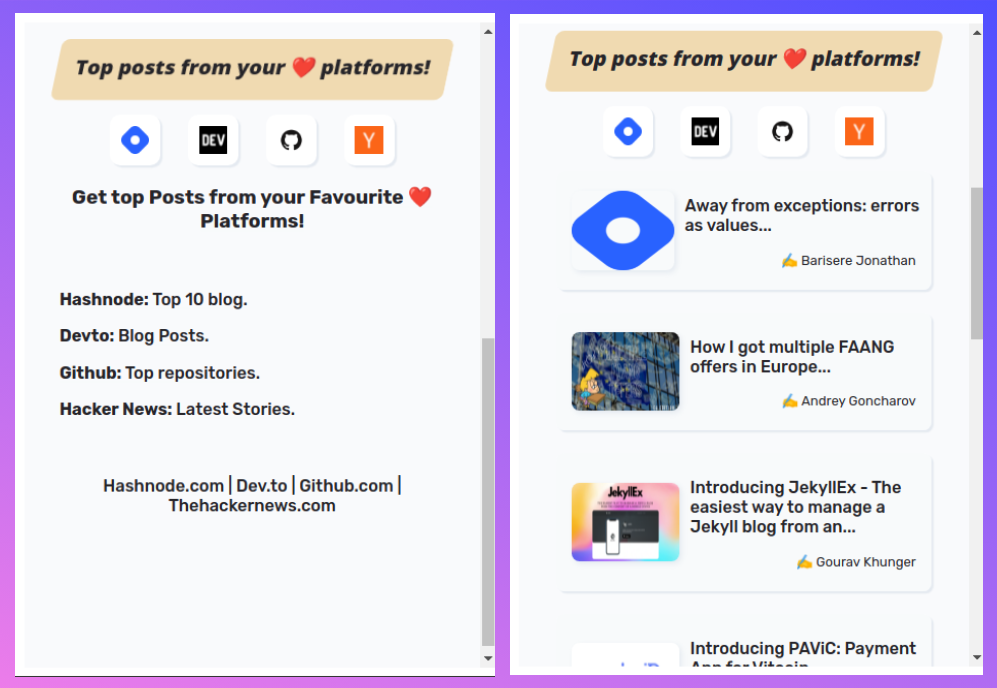
- 💯 Get top Posts from your Favourite Platforms!
- ❤️ Hashnode.com | Dev.to | Github.com | Thehackernews.com
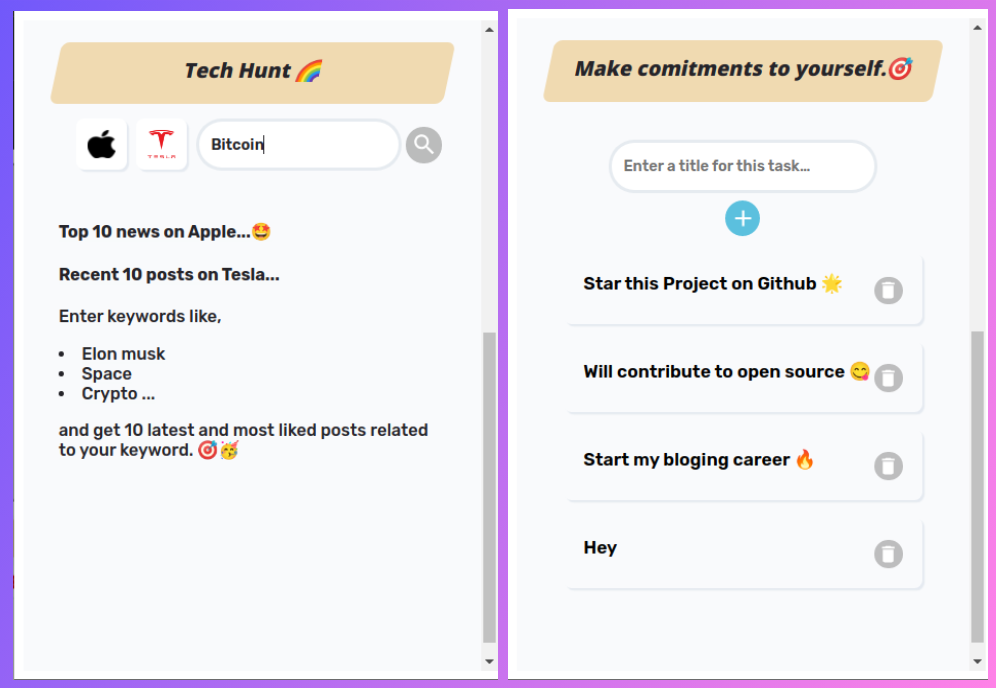
- 🎯 Make commitments to yourself. Start your day with planning
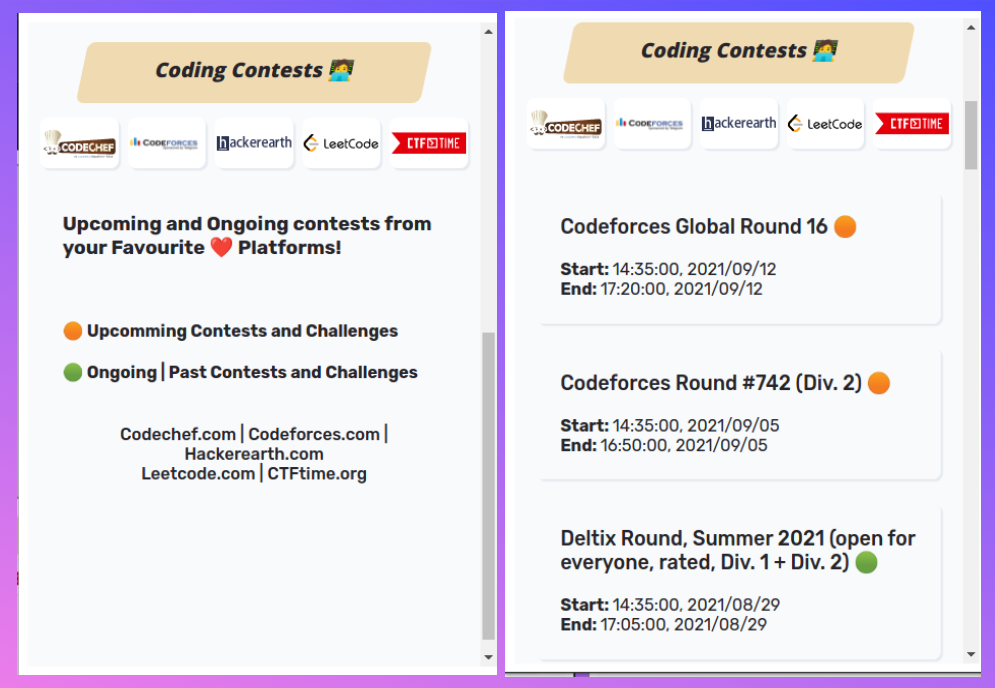
- 🧑💻 Coding Contests
- 🥳 Upcoming and Ongoing contests from your Favourite ❤️ Platforms!
- 🤩 Codechef.com | Codeforces.com | Hackerearth.com | Leetcode.com | CTFtime.org
- 🌈 Tech Hunt
- 🎯 Top 10 news on Apple...
- 🤩 Recent 10 posts on Tesla...
- 🥳 and get 10 latest and most liked posts matching with your keyword.
- 👤 Join using Google, Auth0
- 💻 Join community forums
- 🚀 Give Feedback, Suggestion and chat with other community members.
- ⤵️ Get update announcement before anyone else.
Demo and Screen Shots 🌈
Here is the most awaited thing the Demo Video 🚀
That's not it, we also have a community page. 🙌
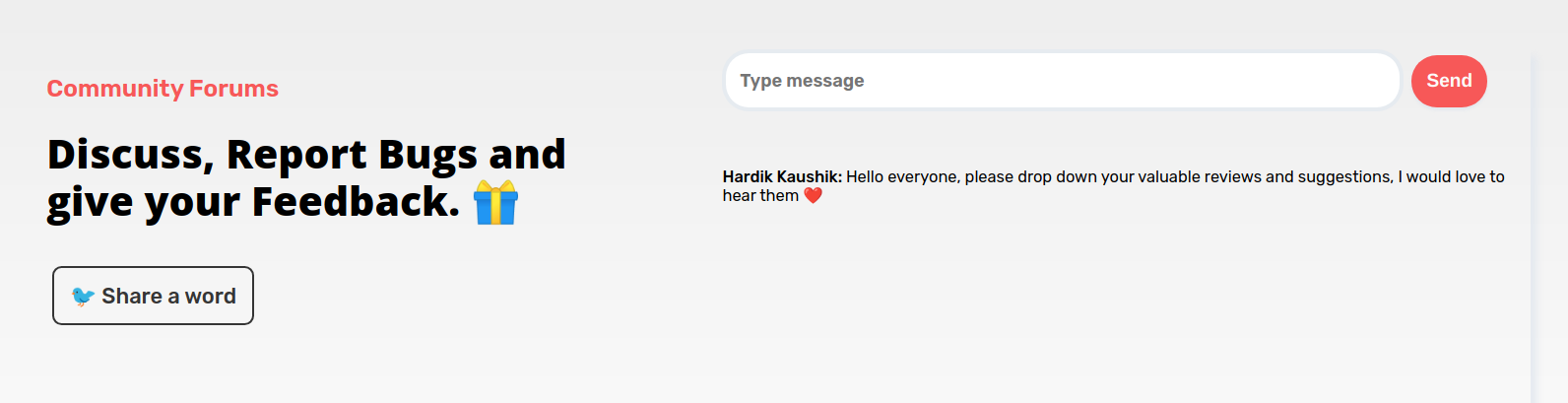
On the community page, you can interact with other members, post your feedback, report bugs and request new features. And and and, as a community member, you will be able to get the latest updates before anyone else. 😍
Wondering, how to join?
Well well, in the chrome extension click on the join community button, and then you will be redirected to the auth0 page.
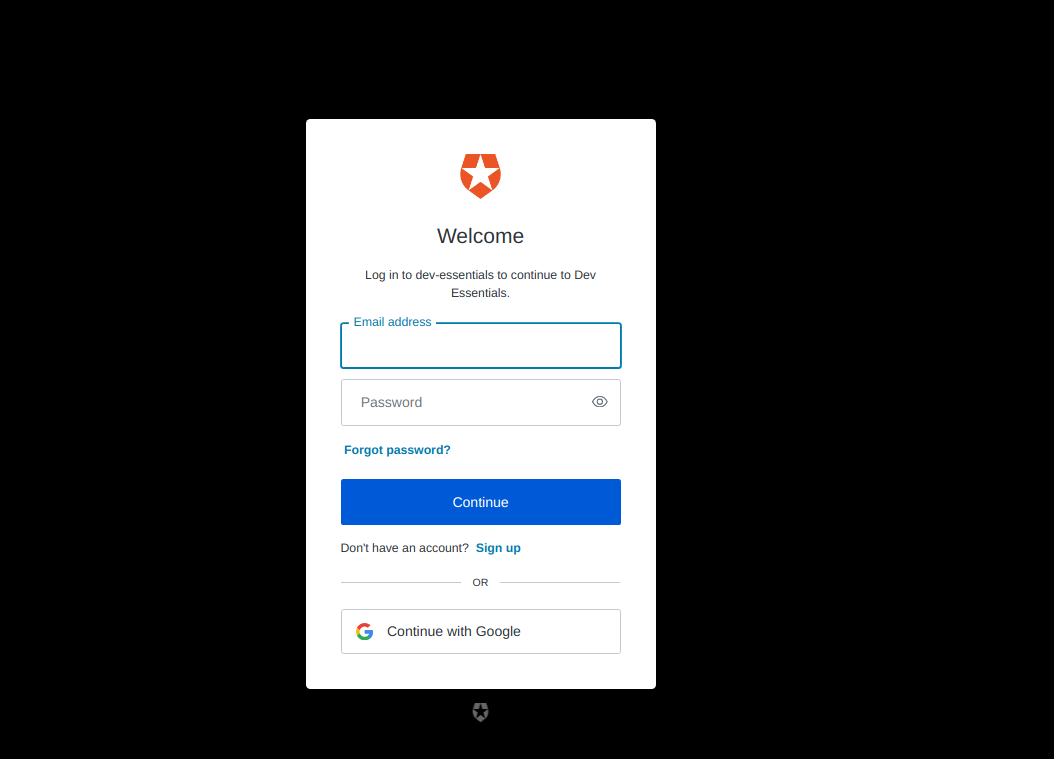
after login, you will be redirected to the community page of Dev Essentials. And here you can 🥳 Join community forums
- 🚀 Give Feedback, Suggestion and chat with other community members.
- ⤵️ Get update announcement before anyone else.
Thinking about, how to use it in a local Machine?? 💻
🛠️ Installation Steps
- Clone the repository
git clone https://github.com/hardikk2002/Dev-Essentials.git - Change the working directory
cd Dev-Essentials - Install dependencies
npm install - Build the app
npm run build
You are all set! Open localhost:8080/popup.html to see the popup screen.
Load Extension to Chrome 🎉
- Build in Production
npm run build:prod
Go to chrome://extensions/ in your browser.
Toggle Developer Mode, from top Right.
Click on Load Unpack.
Select Dist/ folder.
Wohoo 🥳, we have made our own Chrome Extension.
Built with 👩💻
- React JS: To make better file structure, and routing.
- Auth0: Complete User Authentication.
- socket.io: for real-time, bidirectional communication.
- Babel: for compiling JavaScript for Browser.
- Webpack: to bundle JavaScript files for usage in a browser
- API: to fetch posts and other Details.
- manifest V3: to setup rules for chrome extension.
- Material UI Icons: for using Icons.
- Axios: for API calls.
- Express: to make fully functional nodejs server.
- MongoDB: to save chat of community forums.
Challenges faced 😈🌪
- Making Chrome Extension using React framework:
I am still regretting why I have used React for chrome extension while I could have used normal HTML, JS. I have successfully wasted 😎 my Initial days in handling the errors and in learning how web-pack works. But now I am happy with the result.🌈
- Finding and Implementing Different APIs for different work:
Implementing the APIs was a bit frustrating. Reading the docs thoroughly helped a lot. But a special thanks to Rutik Wankhade sir for making Dev Space, their code helped me a lot for fetching Blog posts and few other posts. 🤗
The next difficult task was to fetch the upcoming contest details from numerous platforms, as most of the platforms don't have any public APIs to use. But again, the Open Source community is much bigger than what we think. One person has used web scrapping to fetch details and provided the endpoints to fetch details.
But, but, but...

As the response that their endpoints are sending, is in another format, so to overcome this I had created my own server and then using his endpoints I was able to make my own API for fetching contest details. 🥲
I can write whole day about what challenges I faced starting from making web-pack to deployment to the chrome store, but I don't want to bore you, so let's move ahead. 🏹
Now Auth0 is my favourite 🔥
Implementing Auth0 in my app was the easiest. Their documentation is literally awesome, I have set up Auth0 functionality in less than 20 mins. And now I can do it in less than 5 mins.
A huge thanks to the team and developers at Auth0 for making this process that seamless. 😇 Really loved it.

My Learnings ⭐️
There are few things that I had learned when I created this project:
It was my first experience with chrome extensions, so I was unaware of all the things that I have to take care of before starting. As its working is different from the working of normal web pages, so at first, I had followed some tutorials and documentation from the chrome web store. Learned about how to set up the file structure and work of a few files like Manifest.json, Content Script, Background Scripts, permissions file, etc.
I had used Reactjs components instead of normal HTML and Java-Script, to make the extension. And this JSX code I cannot use directly to serve as the code as a browser extension, So to convert them to normal js code I have learned how to use Web packs and the Babel to compile them to make Bundles so that they could serve as the code to run the extension.
Learned how to Implement Auth0 authentication from their official documentation.
I have also learned the best practices to reduce the size of the extension. Also learned how to write optimise code using reusable code snippets.
Conclusion ✨
I have spent more time in learning new things and in resolving errors ❤️🩹 rather than doing real coding, but
Today's tears water tomorrow's gardens.
so now I am happy with the results. And that's an achievement for me, I have now built something that at least will be used by me, very regularly!

Important Links 🔗
🔷 For Live preview: - Chrome Web Store
🔷 Github code:
Dev Essentials GitHub repository.
Dev Essential Server GitHub
Don't forget to ⭐️ if you liked.
UPDATE: Dev Essentials is now available at Chrome Web Store 🎉, you may get it from here. 🙌
- For more check out the comment section.
Changed | Till now the extension is under review, so you can't access it from the chrome store, so you can check out the Github Repo and see how to run it locally. | Changed
or else let's follow each other on Twitter, so that I can give you the updates. 😀
My Twitter: @Hardikk2002
Feedback 🎁
Feedback helps to improve. I'd love to hear feedback and thoughts on Dev Essentials. Looking forward to what you think about my extension.
Happy learning! ⚡


